How it works
A chalkboard,a walk, and a scan.
Three different people touch a single deal, and one moment matters more than the rest: the shopkeeper confirming, at their own counter, that you actually turned up. Everything else on this page exists to protect that moment.
A redemption is not real until the shop says it is.
Until that scan happens, the claim sits pending. No review can be written, and it does not count as a real visit on either side. It is a deliberately narrow definition of success — and it is the only one that cannot be faked from a sofa.
The full lifecycle
Six steps, three actors.
Colour marks who is doing the work at each stage.
- 01Merchant
Creates the offer
Price, dates, stock, and when it runs
- 02Operator
Approves it
Checked against our listing rules first
- 03Shopper
Finds it nearby
Sorted by distance, live offers only
- 04Shopper
Claims a code
A unique code and QR, stock updates right away
- 05Merchant
Verifies at the counter
Confirmed safely, and only once
Reviews and disputes unlock here - 06Both
Review, or dispute
Only after a real, completed purchase
If you are shopping
Five steps, and none of them is a form.
- 01
Open the app, share your location
GPS is the primary signal. If you would rather not share it, set your area by hand — the whole feed works either way.
- 02
See what is genuinely walkable
Offers within about 3–5 km by default, sorted by distance, filtered to what is live right now. Sparse neighbourhood? Drag the radius out yourself, up to 25 km, instead of staring at nothing.
- 03
Claim the deal
You get a unique code and QR code of your own. Stock updates immediately, and the deal shows as sold out once it runs out. Your claim is yours.
- 04
Walk in and get it verified
The shopkeeper scans your QR or types your code. That confirmation is what completes the redemption — and unlocks your right to leave a review, or open a dispute if something went wrong.
- 05
Review it, or dispute it
You can only leave a review once your redemption is actually complete. If something went wrong, open a dispute with a message thread and a refund path.
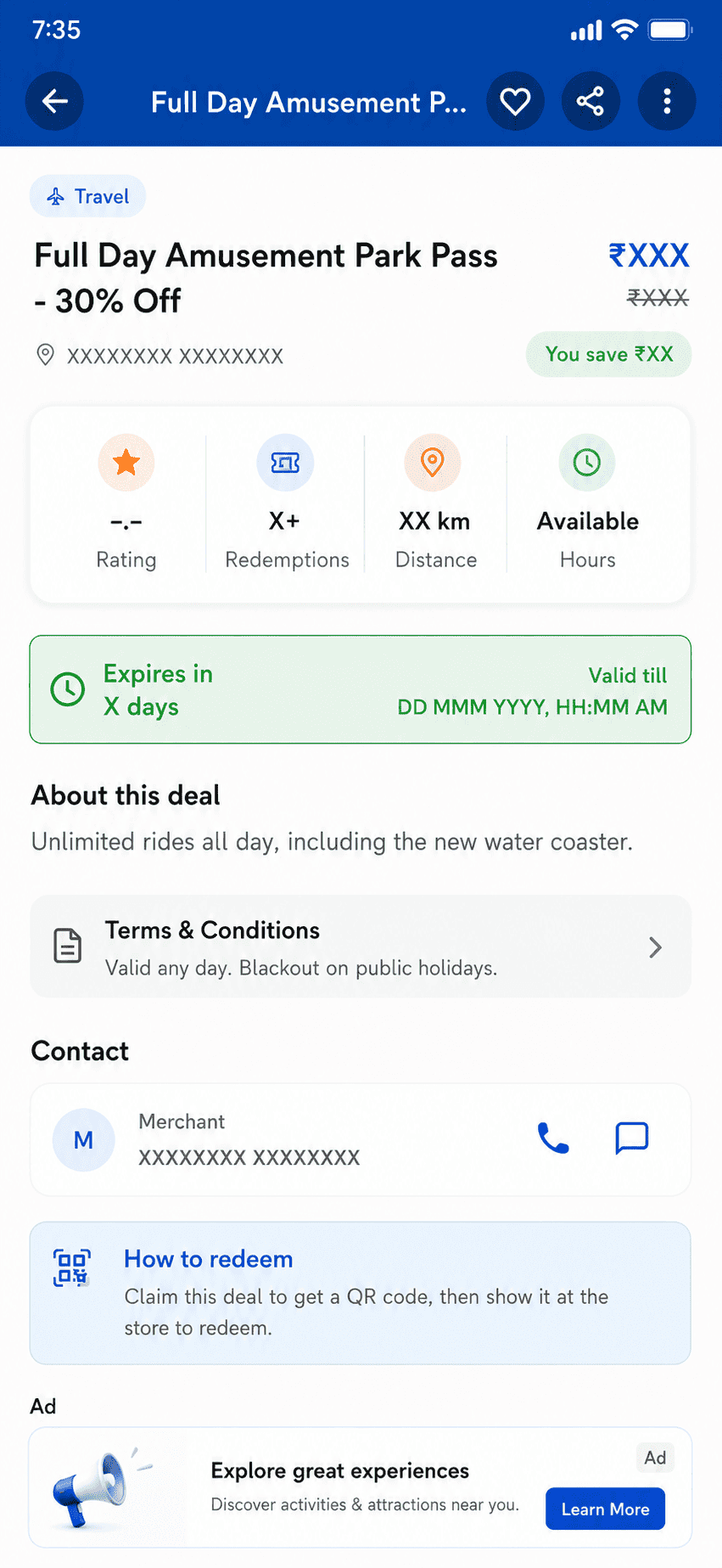
The customer app — deal details
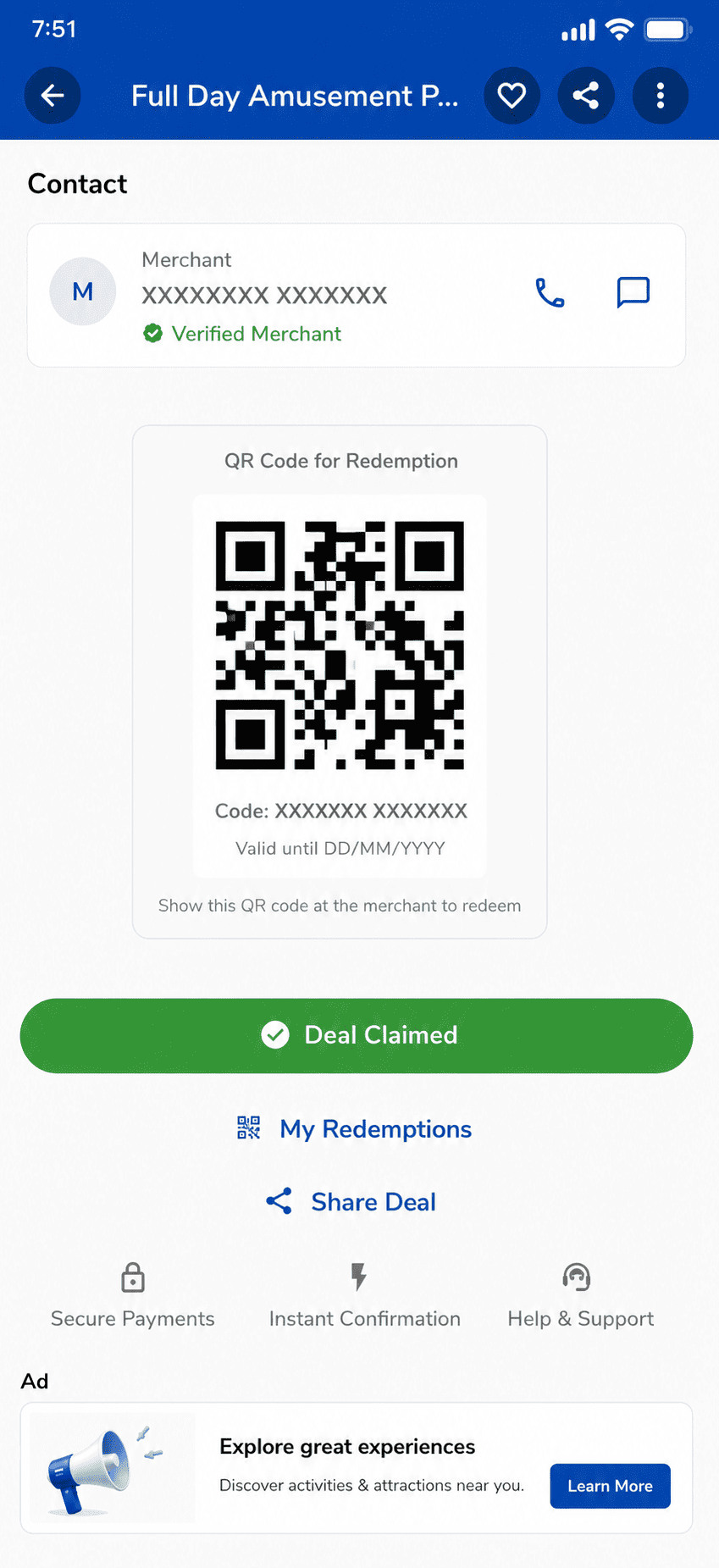
The customer app — claim and QR code
At the counter
Twenty seconds, on the phone already in your apron.
- 1Open the merchant app and tap scan
- 2Point the camera at the customer’s QR — or type their code if the camera struggles
- 3The redemption is confirmed on the spot, safely, so it can never be counted twice
- 4That's it — nothing more to do, and nothing extra to bill
A staff member assigned to that store can do all of this without ever seeing payouts, billing, or data from the rest of the business.
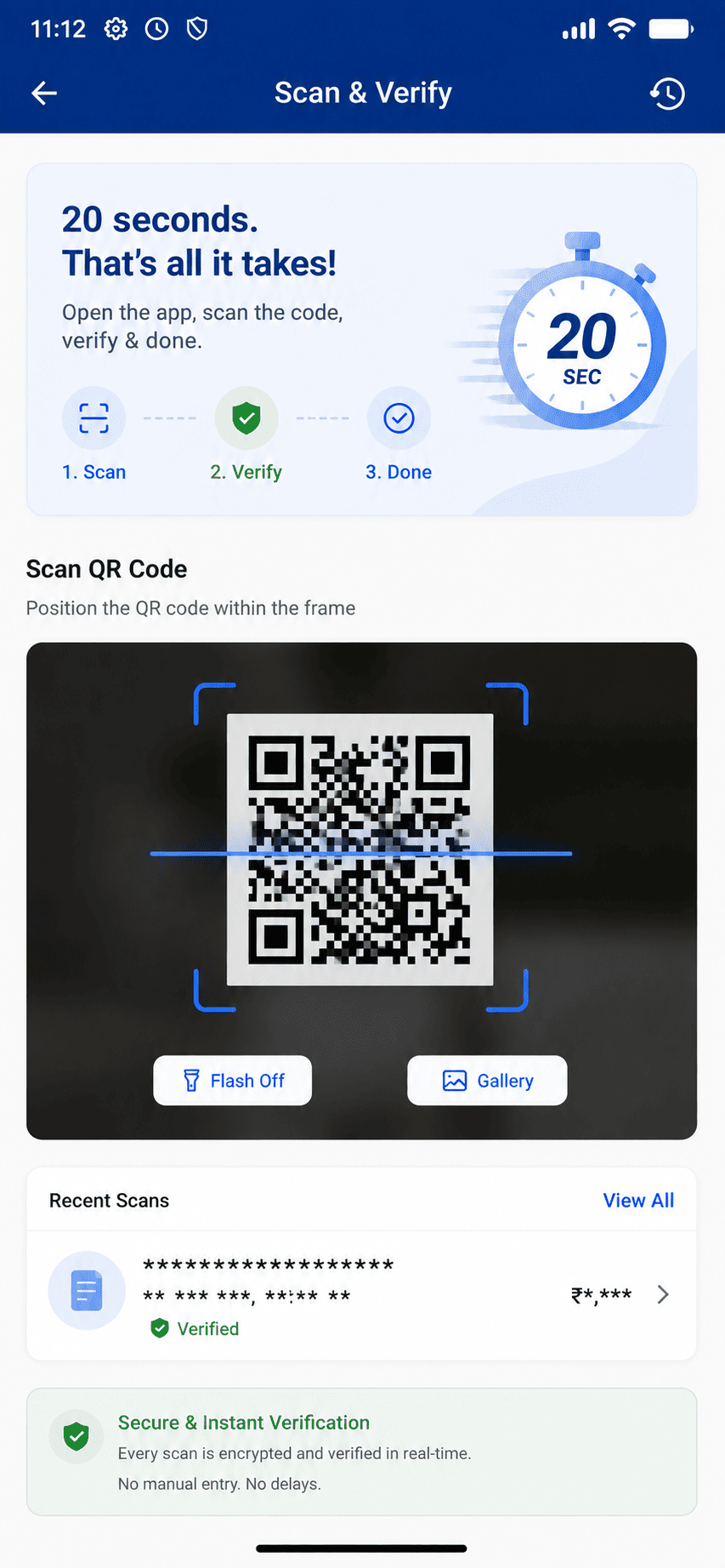
The merchant app — Scan & Verify
If you run the shop
From registration to your first verified sale.
- 01
Register and get a free plan
Creating a merchant profile promotes your account and assigns the appropriate free plan automatically. No card, no sales call.
- 02
Add your store
Geocoded location, logo, banner. Multi-outlet operators can bulk import stores from a spreadsheet.
- 03
Publish an offer
Set price and discount, up to five images, an availability window, terms, and dayparting — so a lunch offer runs only at lunch.
- 04
Verify at the counter
Scan the customer's QR in the merchant app, or type their code. Scoped staff can verify without ever seeing payout or subscription data.
- 05
See what actually worked
Views, clicks, redemptions and revenue per deal, with performance alerts. On plans with side-by-side testing, run an A/B test on the creative and apply the winner.
If you spotted it first
How a neighbour’s photo becomes an official deal.
- 01
Spot something real
A board outside a bakery. A weekend offer at the salon. The things the internet never indexed.
- 02
Post it
Photograph it, add the location and price details, publish. Content is sanitised and moderated before it reaches the feed.
- 03
The neighbourhood finds it
Your post enters the local and online feeds, gathers likes and comments, and climbs you up the contributor leaderboard.
- 04
It becomes official
When a post proves itself, an operator converts it into a real merchant deal. You are notified, the merchant is notified, and your post carries a badge saying it became an official deal.
Why this exists
It is how a new neighbourhood stops being empty.
A platform that waits for shops to sign up has nothing to show in an area it has just entered — and nothing to show means nobody visits, which means no shop sees a reason to join. Community posts break that loop from the other end, on day one, before any salesperson has walked the street.
Conversion into an official deal is always an operator action. It is never automatic, and it lands in the same approval queue as any other deal.
Next step
Bring it to your neighbourhood.
We are opening in three contiguous pincodes first. Whether you run a shop, know your area well, or want to partner — tell us where you are.